01
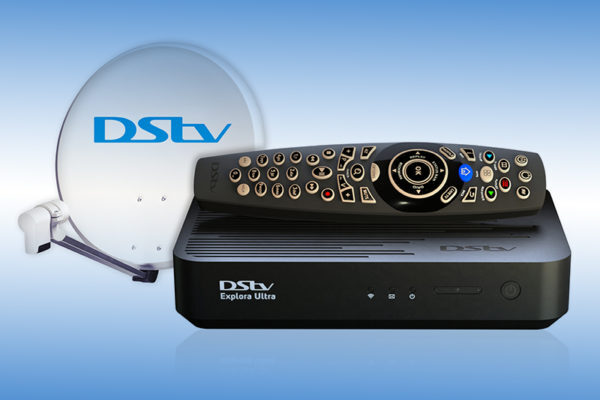
DStv Explora Ultra
Streaming, apps, network and recording configured.
Home/DStv services/Decoder setup
Decoder setup
A decoder out of the box is not a working television. It needs connecting, activating, scanning, pairing and configuring — and if it is an Explora Ultra, it needs the network sorting too.
There was a time when setting up a decoder meant plugging in two cables and scanning for channels. That decoder still exists, and it is still simple. But the Explora and particularly the Explora Ultra are a different proposition entirely.
The Ultra is a connected device. It streams. It has apps. It expects a working internet connection and it behaves badly without one. It has a hard drive that needs formatting, a network setup that needs configuring, an account that needs signing in and a smartcard that needs pairing.
None of it is beyond a patient person with an afternoon. But a great many people would rather it simply worked when they got home, and that is what we do — connected, activated, scanned, paired, networked and demonstrated, so that you sit down and watch television rather than reading a manual.
The detail
More than plugging it in.
Satellite feed, HDMI to the television, power. On an Explora with two tuners, that is two satellite feeds — not one split in half.
The card has to be paired to the decoder and activated with MultiChoice. Get this wrong and nothing authorises.
Every channel found, in the right order, with the correct package showing.
The DStv remote paired to the decoder, and where possible configured to control the television volume and power too, so you only need one remote.
The Ultra in particular expects a working internet connection for streaming and apps. We connect it, test it, and make sure it is stable.
Hard drive checked, recording tested, and if you have Extra View, the decoders linked properly.
What you get
All of them, properly.
01
Streaming, apps, network and recording configured.
02
Dual tuner, recording and Extra View.
03
Simple, quick and reliable.
04
Linked properly for Extra View.
05
Including TV volume and power control.
06
Signed in, tested and working.
Included
A working system, demonstrated to you.
Correct satellite feeds connectedTwo, on a dual-tuner decoder
Smartcard paired and activatedWith MultiChoice, properly
Full channel scanEvery channel in your package, in order
Remote paired and configuredIncluding TV control where supported
Network connected and testedFor Explora and Ultra streaming
Recording tested and demonstratedSo you know it works before we leave
Our process
01
Ultra, Explora and HD are quite different jobs.
02
Feeds, HDMI, smartcard and MultiChoice activation.
03
Channels, remote, network and recording.
04
So you actually know how to use it.
FAQ
The things people actually ask us on the phone, answered straight.
WhatsApp us the make, the screen size and a short video of what the TV is doing. We can usually narrow the fault down before a technician is even dispatched.
WhatsApp 068 348 0078Yes. An Explora has two tuners, and each one needs its own feed from the dish so that you can record one channel while watching another. Splitting a single cable between them is a very common bodge and it produces exactly the recording conflicts people complain about.
It works without it for satellite channels, but the Ultra is designed as a connected device — streaming, apps and catch-up all need a working internet connection. Without one you are using a fraction of what you paid for.
In most cases, yes — volume and power at minimum. We configure it during setup so that you are not juggling two remotes. It is a small thing that makes a real daily difference.
The card and the decoder have to be paired with MultiChoice, and that pairing can be lost — particularly if a card has been moved between decoders. It is usually resolved quickly, and we do it as part of the setup.
Yes, if you already have a working dish and feed. If the existing installation is old or the LNB is single, we may need to upgrade it — particularly for an Explora, which needs two feeds. We will tell you upfront.
A straightforward HD decoder is quick — often under an hour. An Explora Ultra with network configuration, streaming setup and Extra View linking takes considerably longer, because there is considerably more to it.
Book a TV technician
Tell us which decoder you have and we will connect it, activate it, scan it, pair it and show you how it works.
DStv decoder setup across Gauteng
Contact