
Almost every television that comes to us has one of ten faults. Not ten thousand — ten. And the single most useful thing we can tell you is that most of them are a great deal less serious, and a great deal cheaper to put right, than they appear.
A television that will not switch on is usually a power supply board. A black screen with perfect sound is usually a backlight. A set stuck in an endless restart loop is usually corrupted firmware, which costs nothing at all in parts. In every one of those cases the panel — the expensive part, the thing you were actually buying — is completely fine.
Below is each of the ten, with what causes it, what you can check yourself for free, and when it needs somebody with a meter. One honest caveat before we start: we do not repair cracked or broken screens, and we do not buy broken televisions. If your panel is physically damaged, nothing on this page will help — and here is why.
1. The TV will not turn on
Symptoms: Nothing happens when you press power. Sometimes there is no light at all; sometimes a red standby light glows but the set will not start; sometimes it clicks repeatedly and gives up.
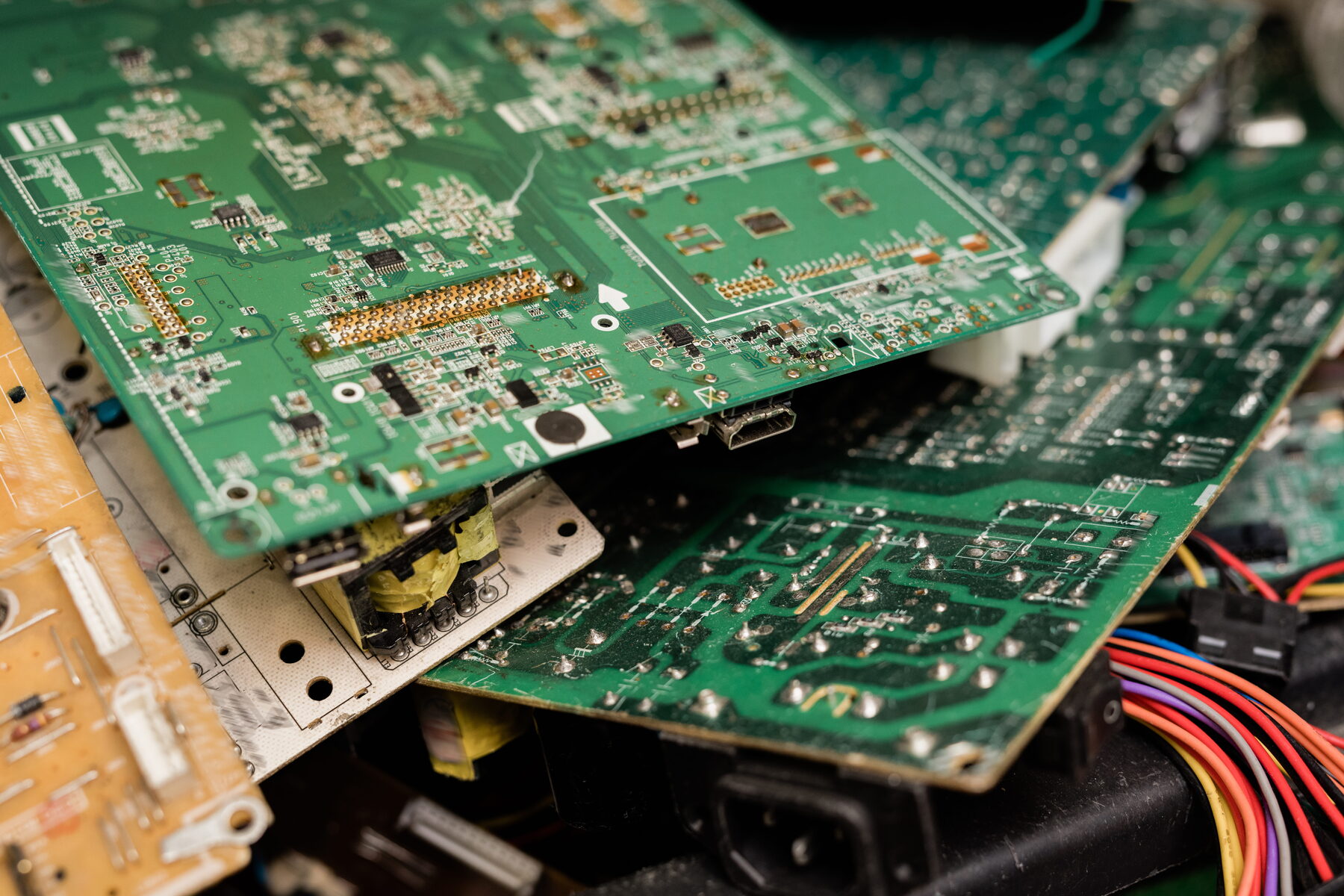
What is causing it: In South Africa, this is the power supply board more often than everything else combined. The damage is not done by load-shedding itself but by the surge when the power comes back, and the power supply board stands directly in its path. Capacitors swell, switching components fail, and the board can no longer produce the voltages the rest of the television needs.
The clicking, if you hear it, is the protection circuit trying to start, detecting a fault, and shutting down again — over and over.
When you need a technician: Immediately, and do not be tempted to open it yourself. A television power supply stores dangerous voltage in its capacitors long after it has been unplugged. The good news is that this is one of the most repairable faults there is, and your panel — the expensive part — is almost certainly untouched.
Think this is your fault? Request a quote and we will diagnose it properly, or WhatsApp us 068 348 0078 with a short video and we will tell you what we think before a technician even leaves.
2. No picture, but the sound is fine
Symptoms: You can hear the programme perfectly. The screen is completely black.
What is causing it: Almost always the LED backlight. Your television has an LCD panel that forms the image and an array of LEDs behind it that light it up. When those LEDs fail, the panel carries on producing a perfect picture that nobody can see.
Try this first: Turn the television on, play something with sound, then shine a bright torch at a sharp angle across the screen from close up. If you can faintly make out the picture in the torchlight, the panel is alive and only the backlight has failed. That is genuinely good news.
When you need a technician: Backlight strips are affordable and replacing them restores the set completely. Do not let anyone sell you a new television on the strength of this fault.
Think this is your fault? Request a quote and we will diagnose it properly, or WhatsApp us 068 348 0078 with a short video and we will tell you what we think before a technician even leaves.
3. No sound
Symptoms: Perfect picture, no audio. Or audio only through headphones or a soundbar. Or sound on some inputs and not others.
What is causing it: Roughly half the time, nothing is broken at all. The audio output is set to an external device that is switched off. HDMI-ARC has lost its handshake with the soundbar. A firmware update has quietly reset the audio format to something the connected equipment cannot decode.
When it genuinely is a hardware fault, it is usually the amplifier circuit on the mainboard or a failed speaker.
When you need a technician: Check the mute, the volume and the audio output setting first — it costs nothing and it resolves a remarkable number of these. If those are fine, get it looked at.
Think this is your fault? Request a quote and we will diagnose it properly, or WhatsApp us 068 348 0078 with a short video and we will tell you what we think before a technician even leaves.
4. A flickering or unstable screen
Symptoms: The picture flickers, pulses, or the brightness fluctuates. Sometimes it settles after a while; sometimes it worsens.
What is causing it: Usually a power supply board that can no longer hold its voltages steady under load, or a backlight driver that is starting to fail. Occasionally it is a loose ribbon connection to the panel. It can also, unhelpfully, be a failing HDMI cable.
Try this first: Swap the HDMI cable and try a different source. If the flicker persists on every input, including the TV’s own menu, the fault is inside the set.
When you need a technician: Soon. A power supply that is becoming unstable tends to take other things with it when it finally goes.
Think this is your fault? Request a quote and we will diagnose it properly, or WhatsApp us 068 348 0078 with a short video and we will tell you what we think before a technician even leaves.
5. HDMI ports that have stopped working
Symptoms: ‘No signal’ on one input, or on all of them, even though the source device is switched on and working.
What is causing it: Surge damage, most commonly. The HDMI protection circuitry is designed to sacrifice itself to protect the rest of the mainboard, and it does its job. Mechanical wear is the other cause — years of plugging and unplugging eventually crack the solder joints holding the port to the board.
Try this first: Swap the cable and try a different port. HDMI cables fail more often than people expect, and they fail while looking perfectly fine.
When you need a technician: If it persists across cables and sources. Individual ports can usually be repaired at board level — you should not need a whole new mainboard.
Think this is your fault? Request a quote and we will diagnose it properly, or WhatsApp us 068 348 0078 with a short video and we will tell you what we think before a technician even leaves.
6. Wi-Fi and connectivity problems
Symptoms: The television will not connect. Or it connects and drops. Or it says it is connected but no app will load.
What is causing it: Very often, your network rather than your television. The router is at the other end of the house behind two brick walls, or the 5GHz band simply does not reach.
The ‘connected but nothing loads’ version is different: that is usually a DNS or security-certificate problem. Older smart TVs eventually lose the ability to negotiate modern encryption, and apps stop working even though the network connection is perfect.
When you need a technician: If the television cannot see any networks at all, a hardware fault becomes likely. Otherwise, start with the network — and do not let anyone sell you a Wi-Fi module before that has been checked.
Think this is your fault? Request a quote and we will diagnose it properly, or WhatsApp us 068 348 0078 with a short video and we will tell you what we think before a technician even leaves.
7. The remote has stopped responding
Symptoms: The television ignores the remote. Or only some buttons work. Or you have to be standing directly in front of it.
What is causing it: Flat batteries, corrosion in the battery compartment, worn button contacts, or — on modern Bluetooth and voice remotes — a lost pairing.
Try this first: Point the remote at your phone’s camera and press a button while watching the screen. On an infrared remote you should see a faint flicker from the LED. If you see it, the remote is transmitting and the fault is at the television end. If you do not, the remote is the problem.
When you need a technician: If a known-good remote also fails, the IR receiver on the television has gone. It is a small component and it is replaceable. Otherwise this is usually the cheapest problem on this list.
Think this is your fault? Request a quote and we will diagnose it properly, or WhatsApp us 068 348 0078 with a short video and we will tell you what we think before a technician even leaves.
8. The TV restarts itself, or gets stuck on the logo
Symptoms: The manufacturer logo appears, the set freezes or restarts, and it does it again. And again. Indefinitely.
What is causing it: Corrupted firmware, in the great majority of cases. A power cut during an update, a failed download, or a degrading flash memory sector. The television is trying to boot, failing partway through, and restarting to try again.
Why this matters: It looks completely catastrophic and it usually is not. A firmware recovery reloads a clean image, and it costs nothing in parts. This is the single most important thing on this page: do not let anyone quote you for a mainboard before a firmware recovery has been attempted.
When you need a technician: Now — but for a recovery, not a replacement.
Think this is your fault? Request a quote and we will diagnose it properly, or WhatsApp us 068 348 0078 with a short video and we will tell you what we think before a technician even leaves.
9. Lines, bands or shadows on the display
Symptoms: Vertical or horizontal lines across the screen. Bands of discolouration. Half the screen dark or distorted.
What is causing it: Usually the T-CON board, or the ribbon cables connecting it to the panel. These carry the signal that drives the individual pixels, and when a connection degrades you get exactly this pattern. Sometimes it is the panel driver itself, which is a less hopeful conversation.
An important distinction: Lines on a physically intact screen are frequently repairable. Lines radiating from a crack or an impact point are not — that is panel damage, and no repair exists for it.
When you need a technician: Get it diagnosed properly. The difference between a T-CON fault and a panel fault is the difference between an affordable repair and a write-off, and you cannot tell by looking.
Think this is your fault? Request a quote and we will diagnose it properly, or WhatsApp us 068 348 0078 with a short video and we will tell you what we think before a technician even leaves.
10. Software updates that fail or will not install
Symptoms: Updates fail partway. Apps will not install or update. The television is slow and unresponsive. The Play Store or app store refuses to open.
What is causing it: Usually a full storage partition. Smart TVs need free space to function and degrade badly without it, and many ship with very little to begin with. On Android and Google TV there is another classic cause: a wrong system date. A television whose clock is wrong cannot validate security certificates, and app stores silently refuse to work.
Try this first: Check the date and time. Then clear the cache and remove apps you do not use. Both are free.
When you need a technician: If the storage is clear, the clock is right, and it still will not update, the flash memory may be degrading — and that is a component-level repair.
Think this is your fault? Request a quote and we will diagnose it properly, or WhatsApp us 068 348 0078 with a short video and we will tell you what we think before a technician even leaves.
Prevention
How to make your next television last longer
Four things, none expensive, all genuinely effective in South African conditions.
Fit a decent surge protectorNot a cheap multi-plug with a neon light. Surge damage is our #1 fault
Give it airflowA TV in a closed cabinet cooks its own power board and backlight
Switch it off at the wall during load-sheddingThe surge on restoration is what does the damage
Support heavy HDMI cablesDo not let their weight hang from the port and crack the solder
Keep the storage clearA full smart TV is a slow, unstable smart TV
Do not leave static images on an OLEDBurn-in is permanent, and nobody can repair it
Book a TV technician
Recognise your fault?
Tell us which one it is — or send a short video and let us tell you. Either way, you will get an honest answer.
On-site TV repairs across Gauteng
Contact
Speak to a TV technician, not a call centre
- Call us
- 068 348 0078Open 24 hours · 7 days a week
- 068 348 0078Send a short video of the fault — it speeds everything up.
- Where we work
- Johannesburg, Pretoria, Sandton, Centurion, Midrand, the East Rand and the West RandSee every area we cover →